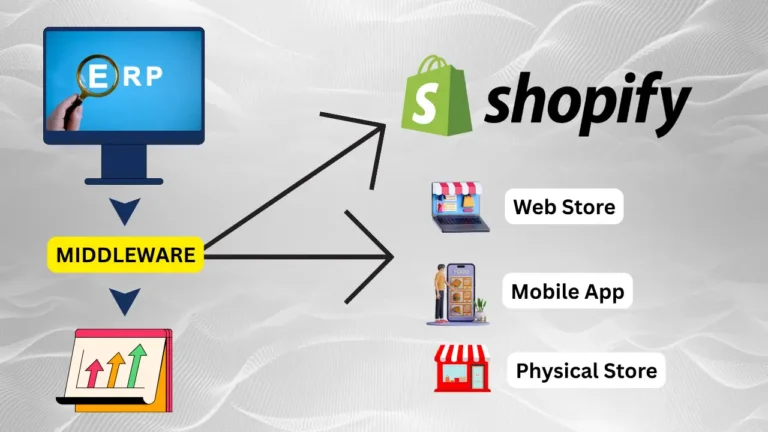
Shopify app development in Florida is worth paying for only when cheaper options have failed. When you hire, judge the agency on discovery, architecture, security, ownership and maintenance, not on portfolio screenshots. A custom app is a small software product, and Shopify releases a new API version every three months. That means the build is only part of the cost, and keeping the app working is the rest. This guide covers when to go custom, what a sound build looks like, how to find and vet agencies across Florida, and what to put in your RFP.
The short answer
Go through the cheaper options first: a public app, then Shopify Flow, then Shopify Functions. Hire a custom Shopify app agency only when none of them can handle the workflow. ERP, 3PL and B2B logic are the usual reasons. Pick an agency that builds on the GraphQL Admin API, writes up discovery before it quotes, puts the code and accounts in your name and prices in quarterly API upgrades. A Florida address makes on-site workshops easier, but it doesn’t prove technical quality.
What a custom Shopify app actually is (and what it isn’t)
A custom app is built for one merchant’s store. A public app is built to be installed by many stores. In its Help Center guide to apps, Shopify says custom apps can extend the Shopify admin, access store data and support storefront experiences.
Buyers often mix up four different things. Each one carries a different cost and risk, so sort out which one you need before you talk to any agency.
| Option | What it is | Best for | Who maintains it |
|---|---|---|---|
| Theme customization | Liquid, CSS and JavaScript changes to your theme | Layout and visual changes | You or a theme developer |
| Public app (App Store) | Off-the-shelf software used by many merchants | Reviews, subscriptions, email capture | The app vendor |
| Integration / middleware | A connector that syncs Shopify with another system | Standard data flows between well-known tools | The connector vendor plus your team |
| Custom app | Software built for your store on Shopify APIs and extensions | Store-specific workflows that nothing else handles | You, through your agency or in-house developers |
Look at the last column. With a custom app, maintenance is your responsibility.
When custom development is justified: try the cheaper options first
Move down this list one step at a time. Stop at the first option that solves the problem.
- Public app. If a well-reviewed App Store app covers about 90% of what you need, accept the remaining 10%. A subscription costs far less than owning software.
- Shopify Flow. Flow is Shopify’s built-in automation tool. It handles rule-based work such as tagging high-risk orders, sending low-stock alerts or routing B2B orders, with no code and no hosting.
- Shopify Functions. Functions are small pieces of code that run on Shopify’s own infrastructure to customize discounts, delivery options, payment options and cart validation. Tiered bundle pricing or blocking certain shipping methods for some products usually stops here. Because Shopify runs the code, you have no server to host.
- Full custom app. This is for cases where you need your own data store, a multi-system sync or an admin interface that only your business uses.
Cases that usually reach step 4:
- ERP or WMS integration: syncing orders, inventory and fulfillment with NetSuite, SAP Business One or a 3PL’s warehouse system, using field mappings that generic connectors can’t handle.
- Complex B2B: quote approvals, customer-specific catalogs and net-terms rules that go beyond what Shopify Plus B2B features cover natively.
- Internal admin tools: a single dashboard that combines orders with returns, warranty or supplier data.
- Compliance logic: age verification or state-by-state shipping restrictions.
Hypothetical example: a Miami electronics retailer
Picture a hypothetical Miami electronics store that sells to consumers and to resellers in Latin America. Every morning, a staff member exports yesterday’s orders to a spreadsheet and re-keys them into the ERP. Reseller orders also need serial numbers recorded for warranty claims. No public app maps those fields, and Flow can’t write to the ERP.
A custom app would solve this in three parts:
- A webhook listens for new orders, and a GraphQL Admin API call pushes each one to the ERP within minutes.
- A Shopify Function applies reseller tier pricing at checkout.
- An embedded admin screen lets warehouse staff scan serial numbers, which are saved to order metafields.
The manual re-keying disappears, and the warranty records live in Shopify. A store that only wants a nicer product badge has no case for any of this. That is a theme job.
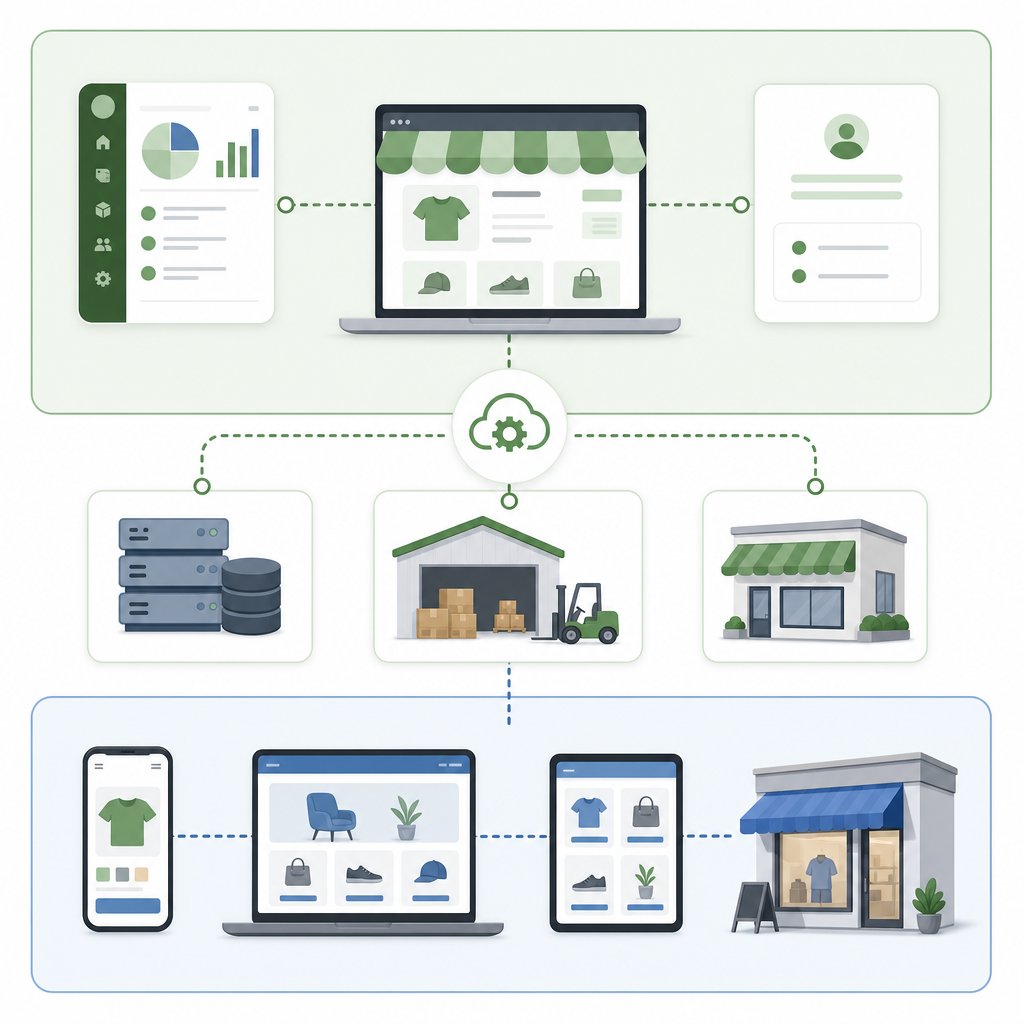
Shopify app development architecture: which APIs your app should use
This is where agencies show how good they are. Ask every candidate to explain which API surfaces they would use for your project and why.
GraphQL Admin API for operations (and the REST question settled)
The Shopify Admin API GraphQL reference covers reading and writing products, orders, customers, inventory and metafields. According to the REST Admin API reference, Shopify made REST legacy on October 1, 2024, and since April 1, 2025, new public apps must use GraphQL exclusively.
Custom apps aren’t technically covered by that public-app rule, and REST still works for them. That doesn’t make it a sensible choice. New features ship to GraphQL first, so an app written on REST in 2026 starts life on a legacy API and will need a migration later. Our position: new custom builds should be GraphQL-only, and an agency that proposes REST for new code should be dropped from your list. Any serious GraphQL Shopify app development agency in the USA should also be able to explain query cost limits and bulk operations for large catalog syncs.
Storefront API for buyer-facing experiences
The Storefront API powers product configurators, custom carts and headless storefronts. A simple rule: use the Storefront API when shoppers touch the feature, and the Admin API when staff or back-office systems do.
Embedded app architecture and Shopify App Bridge security
Admin tools are usually built as embedded apps, which load inside the Shopify admin so staff never leave it. In this setup, Shopify App Bridge handles communication with the admin and issues session tokens that authenticate each request. Ask each agency three things: how it verifies those tokens on the server, how it encrypts stored access tokens, and how it keeps API scopes to the minimum the app needs.
When headless makes sense
A headless store uses a separate frontend, such as Hydrogen or Next.js, running on the Storefront API. It suits brands with heavy content needs or several storefronts. For most mid-size merchants, it adds hosting and maintenance costs that a good theme avoids. If an agency recommends headless before it has done discovery, ask it to justify that.
Finding Shopify app developers in Florida
Florida’s agency scene is spread across four main metros. Each tends toward a different kind of client:
- Miami: DTC fashion, beauty and Latin America cross-border brands. Bilingual teams are common here.
- Tampa / St. Petersburg: agencies that work with B2B distributors and SaaS-style operations teams.
- Orlando: tourism, merchandise and event-driven retail, with sharp seasonal traffic spikes.
- Jacksonville: a logistics and port hub. Look here for experience with 3PL, WMS and freight integrations.
Vetting through the Shopify Partner directory
Start in the Shopify Partner directory. Filter by location (Florida or the city), by service (“custom apps” or “integrations”) and by Shopify Plus partner status if you are on Plus. Then read the listed reviews for projects similar to yours. A partner listing tells you an agency exists. It doesn’t tell you the agency can sync your ERP, so the checklist below still applies.
Scope Plus, B2B, ERP and 3PL work explicitly
If you run Shopify Plus, say which Plus features are in scope, such as B2B catalogs, checkout extensibility and Flow. Name your ERP and 3PL in the RFP, with versions. “Integrate with our warehouse” is not a scope.
Plan for hurricane season and peak season
Atlantic hurricane season runs from June through November, and it overlaps the run-up to Black Friday and Cyber Monday. A Florida agency with a single office can lose power at the moment your order sync breaks. Ask each agency for its continuity plan: cloud-hosted infrastructure, distributed or backup engineers, and a code freeze before BFCM. Put response times for peak-season outages into the support contract.
How to hire a custom Shopify app development agency in Florida: step by step
- Write down the problem, not the solution. Describe the workflow, who does it, how often and what it costs you today.
- Map your systems and data flows. List your ERP, WMS, CRM and payment tools, and what data moves between them. Integration scope drives most of the estimate.
- Define users and permissions. This becomes your API-scope and security requirement.
- Set success measures. For example, “orders reach the ERP within 5 minutes.” Measurable targets make acceptance testing objective.
- Shortlist 3 to 5 agencies and send all of them the same RFP.
- Pay for discovery first. A short paid discovery produces a spec and an estimate you can rely on.
- Write ownership, maintenance and handoff terms into the contract before development starts.
Agency evaluation checklist: how to choose a Shopify app development agency
| Criterion | What good looks like | Red flag |
|---|---|---|
| Experience | Has shipped Shopify apps and can describe integrations like yours | Portfolio is theme work only |
| Architecture | GraphQL Admin API, Functions where they fit, a clear hosting plan | REST for new code, or “we’ll figure it out” |
| Security | Least-privilege scopes, session-token verification, encrypted secrets | Asks for a full staff admin login |
| Testing | Uses Shopify development stores and a staging environment, with automated tests | Tests on your live store |
| Ownership | Repository, hosting and Dev Dashboard app all in your organization | Everything sits in the agency’s accounts |
| Continuity | Has a peak-season and hurricane plan with severity-based SLAs | Support is “next business day” only |
| Documentation | Architecture doc, runbook and setup guide at handoff | “The code is the documentation” |
| References | Clients you can contact who had comparable projects | Logos only |

Project phases and deliverables to expect
Each phase should end with a concrete deliverable. If a proposal can’t name them, the agency probably doesn’t have a defined process.
| Phase | Key deliverables |
|---|---|
| Discovery | Requirements doc, data-flow diagrams, API scope list, risk log |
| Estimate and plan | Milestones, estimate, acceptance criteria |
| Development | App scaffolded with Shopify CLI, code in your repository, weekly demos |
| QA | Test results from a development store, plus edge-case and load testing of syncs |
| Deployment | Production hosting, secured secrets, app configured in the Shopify Dev Dashboard |
| Handoff | Documentation, credentials transfer, runbook, staff training |
Use the Shopify guide to building apps with its APIs to check what agencies tell you about scopes and app monitoring.
Custom Shopify app development cost and architecture: budgeting it
No verified, current dataset of Florida agency rates exists, so we don’t publish an “average price.” These are the factors that actually move an estimate:
| Cost driver | Effect | Source |
|---|---|---|
| Number of external systems | Each one adds field mapping, error handling and testing | Estimate |
| API surfaces used | Admin API alone is simpler than Admin + Storefront + Functions | Shopify APIs, libraries, and tools |
| Data volume | Large catalogs need bulk operations and rate-limit handling | Estimate |
| Admin UI complexity | Many-screen dashboards take longer than background syncs | Estimate |
| Ongoing API upgrades | Quarterly releases mean recurring review and testing | About Shopify API versioning |
Illustrative first-year budget (planning math, not a quote)
First-year cost = discovery + build + (monthly hosting × 12) + (monthly retainer × 12)
The assumptions here are ours and purely illustrative: one ERP integration, one embedded admin screen, about 500 orders a day, and a blended rate of $150/hour. Replace them with the figures from your own proposals.
| Line item | Assumption | Illustrative amount | Source |
|---|---|---|---|
| Discovery | 40 hours × $150 | $6,000 | Estimate |
| Build + QA | 300 hours × $150 | $45,000 | Estimate |
| Hosting | $100/month × 12 | $1,200 | Estimate |
| Maintenance retainer | 10 hours/month × $150 × 12 | $18,000 | Estimate |
| First-year total | $70,200 | Estimate |
Notice that the retainer adds roughly 40% on top of the build. Proposals that leave it out are not cheaper. They just move that cost to later.
Rule for small merchants: go custom only if the annual cost of the problem you’re removing exceeds the year-two run cost (hosting plus retainer, about $19,200 in this example). The problem’s cost includes staff hours, errors and lost sales. If it doesn’t clear that bar, stay with a public app, Flow or Functions. For broader budgeting, see our guide to Shopify store development costs.

Shopify custom app maintenance and API lifecycle
This is the part buyers most often underestimate. According to Shopify’s API versioning documentation, a new API version ships every three months. Each stable version is supported for at least 12 months, with at least nine months of overlap between consecutive versions. After a version’s support ends, requests to it fall forward to the oldest supported version, which can break your app without warning.
- Quarterly version review: read the release notes, update the pinned version and run regression tests on a development store.
- Monitoring: watch Shopify app logs and health metrics, webhook failures and sync error rates, with alerts sent to a named person.
- Error handling: retry with backoff when you hit rate limits, and use a dead-letter queue so failed orders are never lost silently.
- Dependency updates: keep Shopify API libraries and templates and security patches current.
- Severity-based SLA: an order sync outage during BFCM can’t wait until the next business day.
If you inherit an older REST app, the REST versioning notes apply to it. Plan the GraphQL migration as its own project rather than waiting until it becomes an emergency.
Code ownership and IP rights
You only own the code if the contract says so. Have a lawyer check that it covers:
- Assignment of IP in all project-specific code to your business once you’ve paid.
- Written license terms for any reusable agency libraries included in the build.
- A warranty period for defects, plus an exit clause that requires full handoff.
The account-level ownership points (repository, hosting and Dev Dashboard) belong in your RFP below, so agencies commit to them before they quote.
Common mistakes buyers make
- Skipping discovery. Fixed bids made without discovery tend to turn into a string of change orders.
- Going custom before trying Flow or Functions. You end up paying to host and maintain logic that Shopify would have run for free.
- Granting too many scopes. Giving write access to customer data when the app only reads orders makes any breach worse.
- No maintenance budget. The app drifts toward unsupported API versions.
- Testing on the live store. One bad bulk mutation can overwrite thousands of products. Development stores are free.
- Launching in October. A new sync that goes live just before BFCM has no time to settle. Ship by early September.
When an existing app is enough, and when you need a custom build
An existing app is enough if:
- Your workflow is common, such as reviews, upsells or email capture.
- A connector already supports your ERP or 3PL with the fields you need.
- The subscription costs less than a year of custom maintenance.
You need a custom build if:
- Staff spend several hours a week on manual workarounds.
- Two or more public apps have each failed on a core requirement.
- The logic gives you a competitive edge, such as proprietary pricing or fulfillment rules.
- You have a budget and a named owner for ongoing maintenance.
If what you want is mostly visual, start with Shopify theme customization instead.
RFP checklist and questions to ask Florida agencies
Put this custom Shopify development checklist in your RFP so every agency answers the same questions.
Include in your RFP
- The business problem, the current workflow and what it costs you today
- Systems involved (ERP, 3PL, CRM) with versions and data volumes (orders per day, SKU count)
- Plus and B2B features in scope
- User roles, required permissions, success measures and acceptance criteria
- Timeline, plus a BFCM code-freeze date
- Ownership requirements: the GitHub or GitLab repository sits in your organization from day one; hosting accounts (AWS, Google Cloud, Fly.io) are registered to your company with the agency added as users; the app lives in your Shopify Partner / Dev Dashboard organization
- A first-year total cost broken down using the formula above
- A business-continuity plan for hurricanes and peak season
Questions to ask each agency
- Which API surfaces would you use, and why not Flow or Functions alone?
- How do you handle rate limits and bulk syncs?
- How do you verify App Bridge session tokens and store access tokens?
- What is your quarterly API upgrade process, and is it priced in?
- Which monitoring and alerting tools will be running at launch?
- What happens to our support if your office loses power during a storm?
- Who is our day-to-day contact?
- Can we speak to two clients who had similar integrations?
If you’re planning a bigger platform move, our guide to moving to Shopify Plus explains features that change app scope.
Your next step: this week, write the one-page problem statement and work through the cheaper-first list (public app, Flow, Functions). If the problem survives all three, send this RFP to three agencies offering Shopify app development in Florida, ideally one in Miami, one in Tampa or Orlando and one in Jacksonville. Then compare their first-year totals side by side.
FAQ
When is an existing Shopify app enough instead of a custom build?
An existing app is enough when your workflow is common, a connector already supports your ERP or 3PL with the fields you need, and the subscription costs less than a year of custom maintenance. Before you commission a build, try Shopify Flow and Shopify Functions as well.
How long does custom Shopify app development take?
The timeline depends on scope. A single-integration app usually runs through a few weeks of discovery and then a multi-week build and QA cycle. Each extra system adds time. Plan to launch by early September so a new sync isn't going live during BFCM, and ask agencies for milestone dates after discovery.
How do I keep a custom Shopify app secure?
Grant only the API scopes the app needs, and verify App Bridge session tokens on the server. Encrypt stored access tokens and keep secrets out of the code. Test on development stores, never on your live store. Keep the hosting and repository in your own accounts so access can be revoked.
Should a new custom Shopify app use REST or GraphQL?
Use GraphQL. Shopify made the REST Admin API legacy on October 1, 2024, and new public apps have had to use GraphQL since April 1, 2025. REST still technically works for custom apps, but new code built on it starts out legacy and will need migrating later.
How much does custom Shopify app development cost in Florida?
No verified Florida rate dataset exists. Use the formula discovery + build + 12 months of hosting + 12 months of retainer. One illustrative scenario at $150/hour comes to about $70,000 for the first year, but that is planning math, not a quote. Get real figures from each agency.
How often does a custom Shopify app need updates?
Review it at least once a quarter. Shopify releases a new API version every three months and supports each stable version for at least 12 months. Your agency should read the release notes, update the pinned version and run regression tests every quarter.
Does my agency need to be located in Florida?
No. Technical quality matters more. A Florida agency makes on-site discovery and Eastern Time overlap easier, but it should still have a hurricane-season continuity plan. Remote teams can work well if they offer fixed overlap hours and severity-based SLAs.