

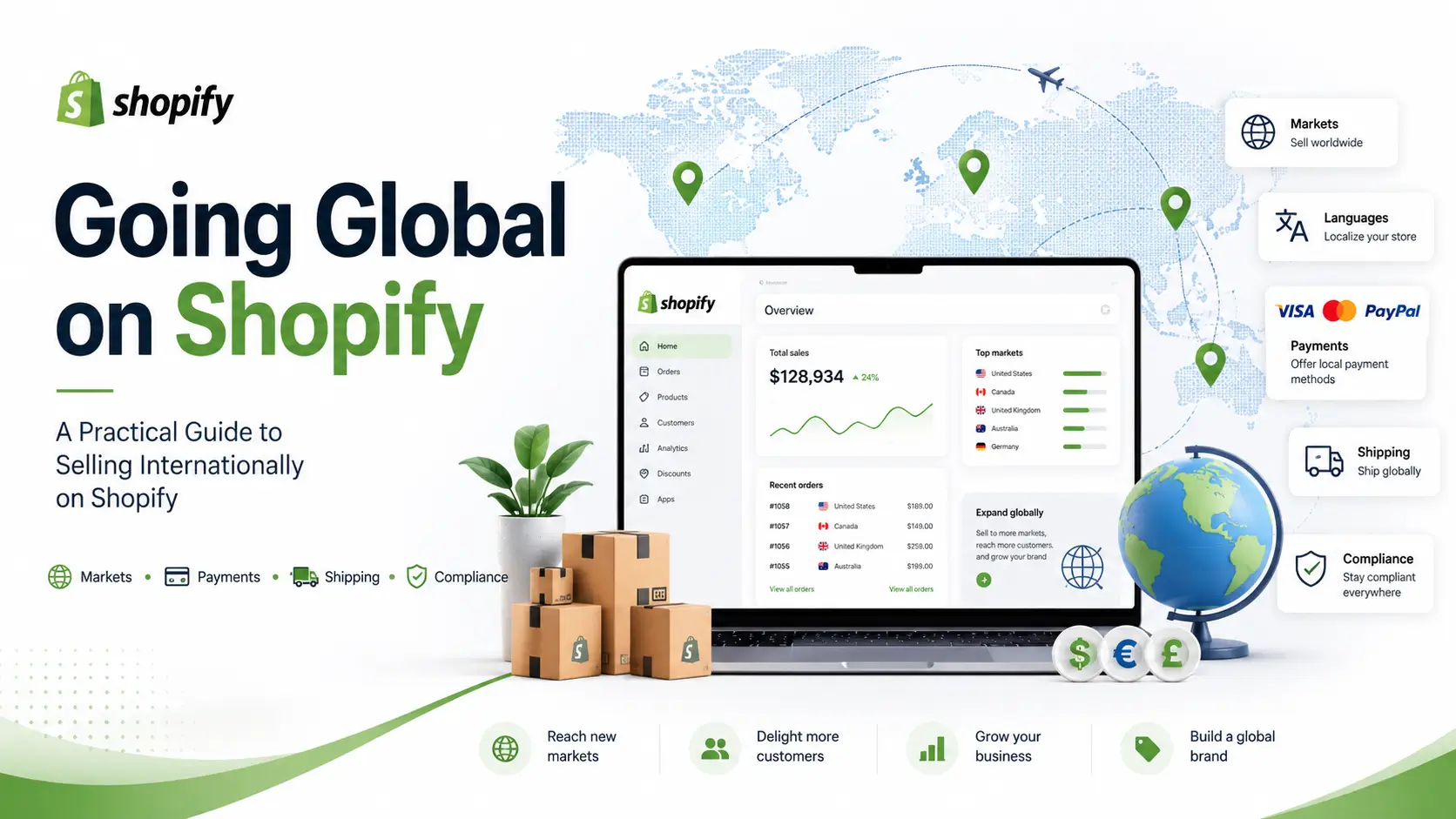
التوسع في الأسواق الدولية هو أحد أسرع الطرق لنمو أعمال التجارة الإلكترونية — لكنه أيضًا المكان الذي ت underestimate فيه العديد من العلامات التجارية العمل التشغيلي المعني. البيع عبر الحدود لا يتعلق فقط بترجمة الصفحة الرئيسية الخاصة بك. إنه يتعلق بالضرائب، والرسوم، والشحن، ومعالجة المدفوعات، والامتثال للمنتجات، والالتزامات القانونية التي تختلف من بلد إلى آخر.
تستعرض هذه الدليل القرارات الرئيسية وخطوات الإعداد التي يجب على أي شركة العمل عليها قبل تفعيل سوق دولي جديد على Shopify. استخدمه كقائمة تخطيط، وليس نصيحة قانونية - يجب دائمًا تأكيد الالتزامات المتعلقة بالامتثال والضرائب مع محترف مؤهل لكل منطقة تبيع فيها.
1. ابدأ بهيكل سوقك
قبل أي شيء آخر، قرر كيف سيتم تقديم كل سوق للعملاء. على Shopify، يتم عادةً تقديم الأسواق الدولية من خلال نطاقات مخصصة أو مجلدات فرعية، مع إعدادات محلية مضافة. هيكل شائع يستخدم مسارات اللغة والمنطقة بحيث يصل العملاء إلى محتوى مصمم وفقًا لمكانهم وما هي اللغة التي يتحدثون بها.
بعض المبادئ التي تستحق المتابعة:
- افصل اللغة عن المنطقة. قد تحتاج دولة واحدة إلى أكثر من نسخة لغوية واحدة (على سبيل المثال، نسخة إنجليزية ونسخة فرنسية من نفس السوق).
- قم بربط ترجماتك بالسوق الصحيح حتى يتمكن العملاء من رؤية المحتوى المحلي تلقائيًا.
- احتفظ بسوقك الافتراضي/المنزلي متميزًا بوضوح عن الأسواق الدولية، حيث تختلف المتطلبات بشكل كبير.
احصل على هذا الأساس بشكل صحيح مبكرًا — تعديل هيكل السوق بعد الإطلاق مؤلم.
2. اختر بين الأسواق المدارة والأسواق القياسية
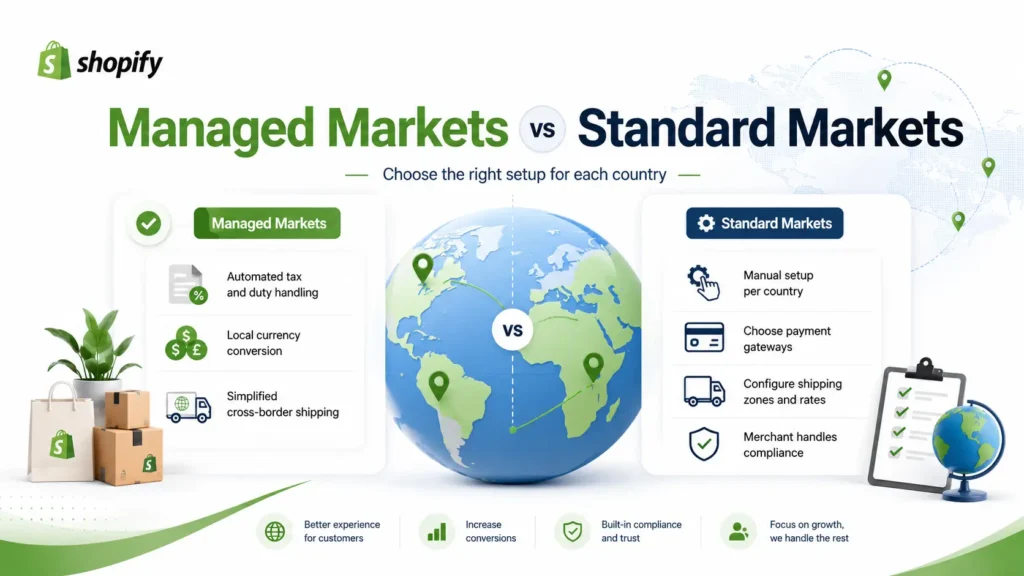
هذا هو القرار الأكثر أهمية في إعدادك الدولي، لأنه يحدد مقدار العمل اليدوي الذي ستقوم به.
الأسواق المدارة (مدعوم من Global-e على Shopify) يتيح لطرف ثالث أن يعمل كـ تاجر السجل. وهذا يعني أن تسجيل الضرائب، وجمع الرسوم، وتحويل العملات، والشحن عبر الحدود يتم التعامل معها بشكل كبير من أجلك. بالنسبة لمعظم البلدان المدعومة، فإن هذا يبسط بشكل كبير عملية الإطلاق.
الأسواق القياسية ليست مُدارة. إذا لم تكن دولة ما مشمولة بالأسواق المُدارة، فعليك إعداد التكوين بنفسك - المدفوعات، الضرائب، مناطق الشحن، والامتثال جميعها تتطلب إعدادًا يدويًا والتحقق.
قبل أن تلتزم بدولة ما، تأكد مما إذا كانت مؤهلة للأسواق المدارة. إذا لم تكن كذلك، خصص وقتًا إضافيًا وخبرة للعمل اليدوي المطلوب.
مهم: حتى مع الأسواق المدارة، يتم تغطية التعامل مع الضرائب والرسوم — لكن الامتثال القانوني على مستوى المنتج غير مشمول. المزيد عن ذلك أدناه.
3. محلي المحتوى بالطريقة الصحيحة
الترجمة أكثر من مجرد تمرير النص من خلال أداة. لكل سوق يجب عليك:
- قدم ترجمات كاملة، تم تدقيقها بشكل احترافي لجميع محتويات المتجر والمنتجات.
- قم بتعريب دعوات العمل ورسائل التسويق، وليس فقط أوصاف المنتجات.
- راجع ووافق على كل صفحة مترجمة قبل التفعيل — بما في ذلك الصفحات القانونية وصفحات السياسات.
اعتبر الترجمة كخطوة حاسمة. يجب ألا يبدأ السوق في العمل حتى يتم التحقق من محتواه، لأن الأخطاء في نصوص الامتثال أو السياسات يمكن أن تخلق تعرضًا قانونيًا، وليس فقط تجربة سيئة للعملاء.
4. لست مستعدًا للبيع مباشرة بعد؟ اجذب العملاء المحتملين بدلاً من ذلك
إذا كنت ترغب في وجود في سوق قبل أن تكون جاهزًا لمعالجة الطلبات هناك، فإن نموذج جمع العملاء المحتملين هو خطوة مؤقتة ذكية. الفكرة بسيطة: في الأسواق التي لا يكون فيها الدفع مباشرًا، استبدل أو أضف إلى تجربة "إضافة إلى السلة" نموذجًا يجمع تفاصيل العملاء المهتمين.
نصائح عملية لهذه الطريقة:
- عرض النموذج فقط في الأسواق التي لا تبيع فيها مباشرة، وإخفائه حيث يتوفر الدفع الكامل.
- قم بتعريب محتوى النموذج ورسائله لكل سوق.
- احتفظ بالأساسيات القانونية في مكانها (لغة الخصوصية/الموافقة المناسبة للمنطقة).
هذا يتيح لك بناء الطلب وجمهور أثناء الانتهاء من إعداد التجارة الإلكترونية بالكامل، ويمكنك تحويل الأسواق إلى البيع المباشر عندما تكون جاهزًا.
5. فهم الامتثال للمنتجات — خاصة في الاتحاد الأوروبي والمملكة المتحدة
هذا هو المكان الذي تقع فيه العديد من العلامات التجارية في الفخ. التعامل مع الضرائب والامتثال للمنتجات هما شيئان مختلفان، والأسواق المدارة تغطي فقط الأول.
إذا كنت تبيع منتجات استهلاكية في الاتحاد الأوروبي، فإن لائحة سلامة المنتجات العامة (GPSR) تنطبق. وقد دخلت حيز التنفيذ في ديسمبر 2024 وتتطلب معلومات محددة على صفحات منتجاتك، بما في ذلك:
- عنصر تحديد المنتج — مثل رقم الدفعة، رقم السيريال، نوع المنتج، أو الصورة.
- تفاصيل الشركة المصنعة — الاسم التجاري المسجل أو العلامة التجارية، عنوان فعلي، وتفاصيل الاتصال الإلكترونية.
- شخص مسؤول في الاتحاد الأوروبي (ممثل مفوض) — إذا كان مصنعك يقع خارج الاتحاد الأوروبي، يجب عليك قانونياً تعيين وعرض تفاصيل شخص أو كيان داخل الاتحاد الأوروبي يعمل كنقطة اتصال رسمية للسلطات.
- تعليمات السلامة والتحذيرات باللغة المحلية — على سبيل المثال، الفرنسية لفرنسا والألمانية لألمانيا.
المملكة المتحدة لديها نظام خاص بها لسلامة المنتجات، لذا لا تفترض أن الامتثال للاتحاد الأوروبي يغطيها تلقائيًا.
طريقتان لتلبية متطلبات GPSR
- قم بذلك بنفسك: قم بتحديث كل صفحة منتج يدويًا بالمعلومات المطلوبة وعين شخصك المسؤول في الاتحاد الأوروبي.
- استخدم تطبيق الامتثال: الأدوات المتاحة على متجر تطبيقات Shopify يمكن أن تعمل كممثل معتمد لك في الاتحاد الأوروبي وتساعد في أتمتة متطلبات GPSR، وتقديم إقرارات VAT/IOSS/OSS، والوثائق المتعلقة بالسلامة. عادةً ما تتقاضى هذه رسومًا شهرية منفصلة وتتطلب منك التسجيل مباشرةً وتقديم قائمة منتجاتك للمراجعة.
أيًا كان المسار الذي تختاره، تأكد من مراجعة صفحات منتجاتك وسياساتك من قبل محترف قانوني أو متخصص في الامتثال مؤهل قبل الإطلاق.
6. إعداد الشحن بشكل متعمد
تقدم Shopify طريقتين رئيسيتين لفرض رسوم الشحن:
- أسعار يدوية (ثابتة) — أنت تقرر المبلغ الذي يدفعه العملاء. تحكم كامل؛ جيد للبساطة أو لتقديم شحن مجاني/مخفض لزيادة التحويلات.
- أسعار محسوبة من قبل الناقل — تعرض Shopify سعر الناقل في الوقت الفعلي بناءً على الوجهة والوزن والأبعاد. الأفضل من حيث الدقة وحماية الهامش.
اختر بناءً على هدفك:
| أولويتك | الطريقة الموصى بها |
|---|---|
| التحكم والبساطة | معدل ثابت يدوي |
| تسعير دقيق في الوقت الحقيقي | حسابات الناقل |
| زيادة التحويلات الدولية | شحن بسعر ثابت منخفض أو شحن مجاني |
| حماية الهامش | معدل ثابت محسوب من قبل الناقل أو تكلفة كاملة |
لكل سوق، تأكد من الناقلين لديك، مناطق الشحن، وسياسات الإرجاع والاسترداد قبل الإطلاق.
كيف تعمل تكاليف الشحن وتكاليف الملصقات فعليًا
نقطة تفاجئ العديد من البائعين الدوليين للمرة الأولى: الرسوم التي يدفعها عميلك وتكلفة ملصق الشحن هي مبالغ منفصلة.
- رسوم الشحن التي يدفعها العميل عند الخروج تحددها أنت وهي مشمولة في مدفوعاتك.
- تكلفة ملصق الشحن تُفرض بشكل منفصل — عادةً على البطاقة المسجلة في متجرك — عندما تقوم بتنفيذ الطلب.
- لا يجب أن يتطابق الاثنان. إذا دفع العميل 15 دولارًا وكانت تكلفة الملصق 12 دولارًا، فإنك تحتفظ بفارق 3 دولارات. إذا كنت تتقاضى أقل من تكلفة الملصق (أو تقدم شحنًا مجانيًا)، فإنك تتحمل الفارق.
- مع الأسواق المدارة، فإن أسعار الملصقات عادةً تشمل بالفعل الرسوم الإضافية مثل الوقود، وتخليص الجمارك، ورسوم DDP - بينما تظهر شركات النقل الخارجية غالبًا الأسعار الأساسية وتضيف تلك الرسوم لاحقًا، لذا فإن التكلفة الشاملة غالبًا ما تكون قابلة للمقارنة أو أفضل.
7. فرز المدفوعات سوقًا بسوق
تختلف توفر معالجة الدفع حسب البلد، وهذا يعد عائقًا شائعًا.
في العديد من الأسواق، يعمل Shopify Payments مباشرة وقد يتم دعمه بطرق دفع محلية يتوقعها العملاء. لكن Shopify Payments غير متوفر في كل مكان. في البلدان التي لا يتم دعمها فيها، ستحتاج إلى اختيار وتكوين بوابة دفع طرف ثالث متوافقة قبل أن تتمكن من معالجة الطلبات.
للتحقق مما هو متاح، ابحث عن بوابات الدفع المدعومة لبلدك المستهدف في دليل بوابات الدفع الخاص بشوبيفاي وتأكد من وجود خيار واحد قابل للتطبيق على الأقل قبل أن تلتزم بإطلاق الخدمة هناك. قم بتمكين أي طرق دفع محلية ذات صلة أيضًا - فإتاحة خيارات مألوفة يحسن من معدل التحويل.
8. التعامل مع الضرائب والامتثال القانوني حسب المنطقة
تختلف الالتزامات الضريبية والقانونية في كل سوق. حتى عندما تتولى Managed Markets التسجيل والتحويل، يجب عليك التحقق من التغطية والتواصل مع محترف محلي مؤهل في الضرائب أو القانون لكل منطقة. المجالات النموذجية للمراجعة:
- الاتحاد الأوروبي: تسجيل ضريبة القيمة المضافة وإرسالها، الامتثال لمعايير سلامة المنتجات GPSR، وتنظيمات حقوق المستهلك/المرتجعات. الرسوم المدفوعة مسبقًا عند الخروج إلزامية للوجهات في الاتحاد الأوروبي بموجب الأسواق المدارة.
- المملكة المتحدة: ضريبة القيمة المضافة في المملكة المتحدة بموجب قواعد ما بعد البريكست ونظام سلامة المنتجات في المملكة المتحدة.
- كندا: الضرائب الفيدرالية والإقليمية (GST/HST)، بالإضافة إلى الشحن والامتثال للجمارك.
- الهند: ضريبة السلع والخدمات على السلع المستوردة والالتزامات المتعلقة بالرسوم الجمركية/الرسوم على الواردات. يرجى ملاحظة أن تحصيل الرسوم عند الخروج قد يكون اختياريًا ويجب تكوينه وفقًا لتفضيلاتك.
- الأسواق غير المدارة بشكل عام: متطلبات رقم ضريبة القيمة المضافة/الضريبة، والرسوم الجمركية وواجبات الاستيراد، والامتثال القانوني للتجارة الإلكترونية المحلية — جميعها تقوم بتكوينها والتحقق منها بنفسك.
لا تعالج هذا كإجراء شكلي. قم بتأكيد الالتزامات كتابيًا واحصل على الموافقة قبل تفعيل كل سوق.
9. تعرف على منتجاتك والمناطق المحظورة
هناك نوعان من القيود المهمة:
- المنتجات المقيدة: بعض السلع لا يمكن بيعها أو شحنها إلى دول معينة. في الأسواق المدارة، يتم التعامل مع سلوك المنتجات المقيدة عند الخروج بشكل تلقائي. في الأسواق غير المدارة، يجب عليك مراجعة وتأكيد المنتجات المؤهلة للبيع والشحن يدويًا.
- المناطق المحظورة: بعض الأراضي محظورة تمامًا بسبب العقوبات أو القواعد التنظيمية، ولن يتمكن العملاء هناك من إتمام عملية الدفع. على Shopify، يتم تطبيق هذه القواعد عادةً تلقائيًا دون الحاجة إلى أي تكوين إضافي من جانبك.
أكد كلاهما قبل أن تذهب مباشرة، وثق قراراتك.
10. قائمة التحقق من جاهزية ما قبل الإطلاق
قبل تفعيل أي سوق جديد، اعمل من خلال هذه القائمة:
أساس
- [ ] تم تكوين مجالات السوق / المجلدات الفرعية وإعدادات التوطين
- [ ] الترجمة مكتملة وتمت مراجعتها بشكل احترافي
- [ ] تم مراجعة جميع صفحات المتجر، والمنتجات، والسياسات والموافقة عليها
إعداد التجارة
- [ ] تم تأكيد حالة السوق المدارة مقابل السوق القياسية للبلد
- [ ] بوابة الدفع متاحة ومهيأة (طرف ثالث حيث لا يتم دعم Shopify Payments)
- [ ] تم اختيار طريقة الشحن، وتحديد شركات النقل والمناطق، وتأكيد سياسة الإرجاع/الاسترداد
- [ ] تم اختبار الضرائب والرسوم وتحويل العملات وحسابات الشحن من البداية إلى النهاية عند الخروج
الامتثال
- [ ] تم تلبية متطلبات سلامة المنتج (مثل GPSR للاتحاد الأوروبي، وما يعادلها في المملكة المتحدة)
- [ ] تم تعيين ممثل معتمد من الاتحاد الأوروبي وعرضه إذا كان المصنع خارج الاتحاد الأوروبي
- [ ] تفاصيل الشركة المصنعة، وعناصر التعريف، ومعلومات السلامة باللغة المحلية على صفحات المنتجات
- [ ] تم مراجعة وتأكيد المنتجات والمناطق المحظورة
- [ ] تم مراجعة الالتزامات الضريبية والقانونية من قبل محترف مؤهل، مع توقيع كتابي
نهائي
- [ ] تم اختبار تجربة الدفع الكاملة لكل سوق
- [ ] توقيع أصحاب المصلحة يؤكد أن جميع المتطلبات قد تم تلبيتها
الكلمة النهائية
الذهاب إلى الأسواق الدولية يستحق العناء، لكن العلامات التجارية التي تقوم بذلك بسلاسة هي تلك التي تعامله كمشروع عمليات وامتثال — وليس مجرد تمرين ترجمة. قرر مبكرًا ما إذا كان كل سوق سيعمل على الأسواق المدارة أو الأسواق القياسية، تأكد من صحة امتثال منتجك (فهو منفصل عن الضرائب)، أكد المدفوعات والشحن من دولة إلى أخرى، ولا تفعل سوقًا حتى يتم مراجعة التزاماتها القانونية والضريبية من قبل محترف مؤهل. إذا كنت بحاجة إلى أي دعم لإعداد المتجر الدولي، يرجى Contact Us.
خطط لها بعناية، اختبر كل شيء قبل الإطلاق، وستكون عملية التوسع العالمي الخاصة بك أقل توتراً بكثير - وأكثر ربحية بكثير.
هذه الدليل لأغراض المعلومات العامة فقط ولا يشكل نصيحة قانونية أو ضريبية أو امتثال. تتغير المتطلبات بمرور الوقت وتختلف حسب الاختصاص. استشر دائمًا محترفين مؤهلين قبل تفعيل المبيعات في أي سوق دولي.
