


我昨天一直在进行新的Magento项目,我们想在导航菜单上显示缩略图。我们可以从Magento后台添加缩略图和主图,但Magento默认不在菜单上显示这些。
我的Magento版本是1.8,步骤如下:
从后台添加缩略图像
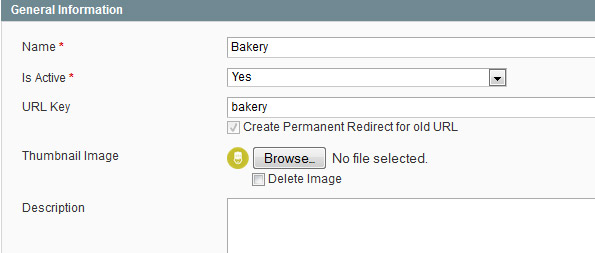
2 – 将 /app/code/core/Mage/Catalog/Model/Observer.php 复制到 /app/code/local/Mage/Catalog/Observer.php,并对函数名称进行以下更改:_addCategoriesToMenu
[sh lang="php"]
$categoryData = array(
 'name' => $category->getName(),
 'id' => $nodeId,
 'url' => Mage::helper('catalog/category')->getCategoryUrl($category),
 'is_active' => $this->_isActiveMenuCategory($category),
 'thumbnail' => Mage::getModel('catalog/category')->load($category->getId())->getThumbnail()
[/sh]
);
add ‘thumbnail’ => Mage::getModel(‘catalog/category’)->load($category->getId())->getThumbnail()
‘
步骤 3:
将 app/code/core/Mage/Page/Block/Html/Topmenu.php 复制到 app/code/local/Mage/Page/Block/Html/Topmenu.php
然后在函数中进行以下更改:_getHtml
[sh lang="php"]
if($childLevel < 1 ){
$img_urls = Mage::getBaseUrl(‘media’).’catalog/category/’.$child->getData(‘thumbnail’);
$img = ‘<img src=”‘.$img_urls.'” />’;
}
$html .= ‘<li ‘ . $this->_getRenderedMenuItemAttributes($child) . ‘>’;
$html .= ‘<a href=”‘ . $child->getUrl() . ‘” ‘ . $outermostClassCode . ‘><span>’
. $this->escapeHtml($child->getName()) . ‘ </span> ‘.$img.’ </a>’;
[/sh]
我首先尝试遵循这篇文章:http://www.h-o.nl/blog/using_category_images_in_your_magento_navigation/
但对我来说不起作用,所以如果我上面的建议不奏效,请尝试这个。
